Spreadsheets might feel like the “safe” choice when you are just starting out as a freelance recruiter or running a small staffing firm — but they have a way of turning against you fast. Resumes pile up across folders, follow-up emails slip through the cracks, and before long, you are spending more time managing files than actually placing candidates.
An ATS fixes exactly that. It brings all your candidate information into one place, automates your communication, and keeps your pipeline moving — without needing a full back-office team to run it.
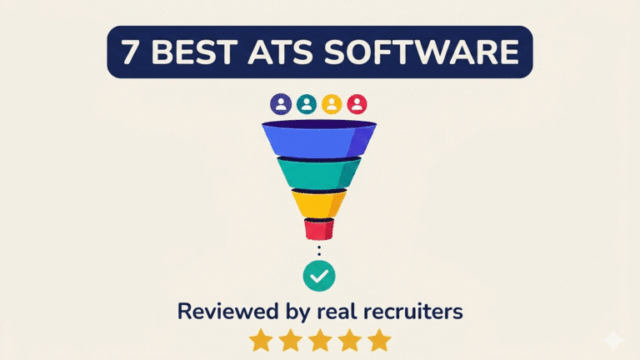
The good news is that you do not need a big budget to get started. More ATS platforms than ever now offer free or low-cost plans built with independent recruiters and small agencies in mind. In this article, we have laid out seven of the most popular ATS options — covering their key features, what you get on the free plan, and where each one falls short — so you can make a call that actually fits where your business is right now.
What to Look for in a Low-Cost ATS (Before You Choose)
Choosing a low-cost ATS is not just about price. It is about finding something you will actually use every day without friction.
Many recruiters sign up for a free plan, but abandon it within weeks because it feels complicated or limited. A better approach is to evaluate a few core features first, then check what the free plan actually allows.
Must-Have Features
Not every ATS is built the same. Some are designed for large corporate HR teams, while others are purpose-built for independent recruiters or small agencies. Before you sign up for anything, make sure it covers these five essentials.
Candidate Tracking Pipeline
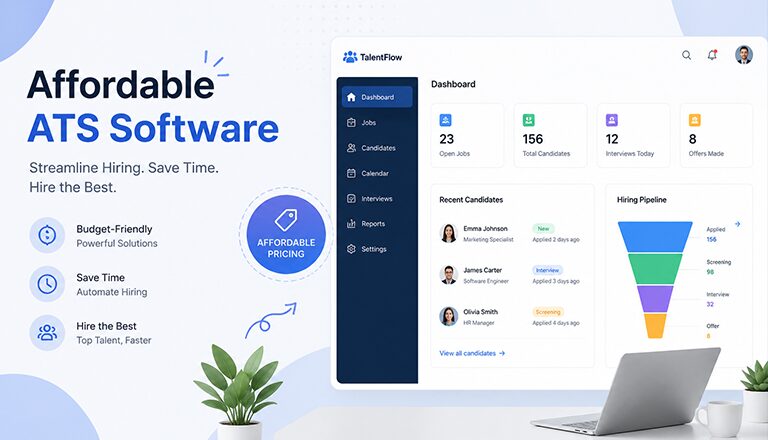
This is the core of any ATS. You need a clear, visual way to see where every candidate stands — newly applied, in screening, interviewing, or at the offer stage.
Think of it like a Kanban board for your hiring process. You should be able to move candidates from one stage to the next without hunting through spreadsheets or email threads.
Resume Parsing and Search
Manually copying candidate details from a resume into your system wastes time. Resume parsing reads an uploaded resume and automatically pulls the name, contact info, work history, and skills into structured fields. Once those profiles are saved, a good search function lets you quickly surface the right candidate from your existing database when a new role comes in — without starting from scratch every time.
Not all free plans include true parsing — some tools offer only basic resume search without actually extracting data, so verify this specifically before you commit.
Email Integration
Your ATS should connect directly to your Gmail or Outlook inbox so you can send and receive emails from inside the platform, with every message automatically logged against the candidate’s profile.
Without this, you end up switching between tabs constantly and losing track of who said what and when.
Job Posting and Career Page
A useful ATS lets you publish a job opening to multiple job boards — such as Indeed or LinkedIn — from one place with a single click. It should also give you a basic career page where candidates can apply directly.
Some tools let you build branded career pages to make your firm look more professional to candidates, even on a free plan — which matters if you are building your recruiting brand alongside your client work.
Basic Automation
Even simple triggers save meaningful time across a full month of recruiting — like sending a confirmation email when someone applies, or moving a candidate forward after an interview is scheduled.
Many free ATS plans include at least basic automations such as stage-change triggers or pre-built email templates, even if more advanced workflows are locked behind a paid tier.
Limitations of Free Plans
Free plans are useful, but they come with trade-offs. It is better to know these upfront rather than discover them mid-process.
- Limited number of active jobs or users per account
- Restricted features such as automation rules and reporting
- ATS branding on your career page or outgoing emails
These limitations are manageable when you are just starting out, but they can slow you down as your volume grows.
When to Upgrade
You will feel the need to upgrade when your workflow starts getting blocked.
- You are adding more recruiters or a sourcing assistant to your team
- You need CRM features for structured client or candidate outreach
- You want detailed reports or integrations with other tools you already use
A good signal is when you start using workarounds outside the ATS. That usually means you have outgrown the free plan.
Top 7 Low-Cost ATS Tools with Free Plans
1. Recruit CRM
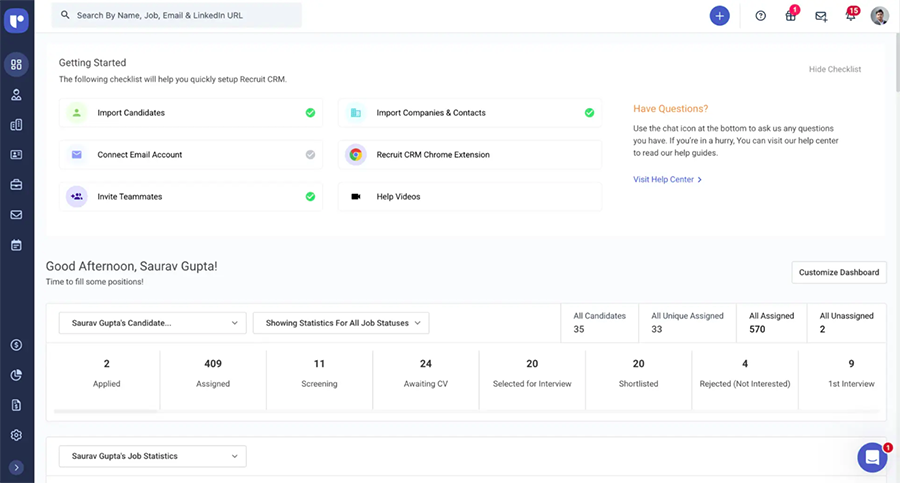
Best For: Small- midsize recruitment agencies and independent headhunters who need an ATS and CRM in one place
Recruit CRM is one of the few tools on this list that combines a full ATS with a recruiting CRM out of the box. If you are running a small agency and managing both candidates and client relationships, this saves you from paying for two separate tools.
Free Plan Details
- Recruit CRM offers an unlimited free trial with no credit card required, though certain usage limits apply. You get access to core ATS and CRM features, but the free tier restricts things like the number of pipeline stages and candidate match results.
Key Features
- Kanban-style candidate pipeline with drag-and-drop stages
- Resume parsing and candidate search from the database
- Two-way email sync with Gmail and Outlook
- Job posting to free job boards
- Client and contact management (CRM built in)
- Chrome extension for sourcing from LinkedIn
The Catch
The free plan is genuinely useful for getting started, but it has a ceiling you will hit quickly.
- No resume parsing or AI matching on the free tier; manual entry required
- Only one pipeline is available on the free plan; unlimited pipelines require an upgrade
- Permissions and access control settings are locked behind more expensive plans
2. Zoho Recruit
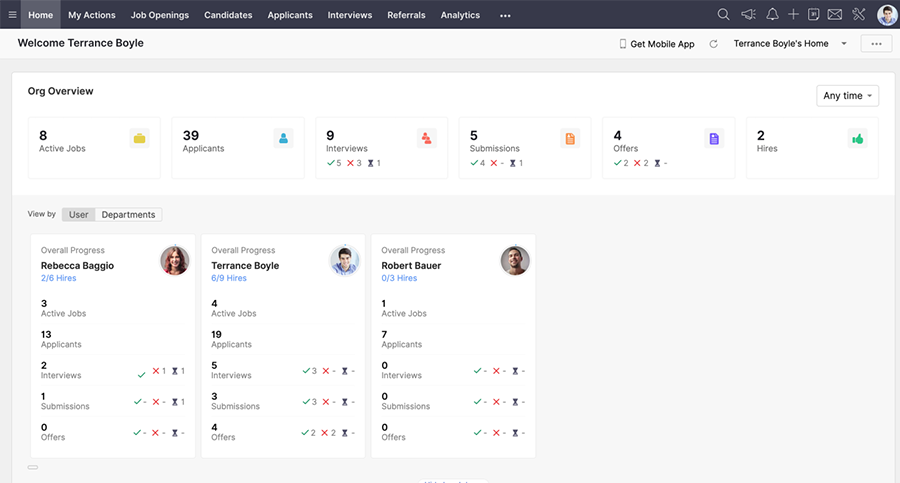
Best For: Solo recruiters or small staffing firms already using other Zoho tools
Zoho Recruit is a well-established name in the ATS space and offers one of the more generous free plans in terms of features included. It works especially well if you are already using Zoho CRM, Zoho Mail, or other products in the Zoho ecosystem, as everything connects cleanly.
Free Plan Details
- The Forever Free plan supports one active job posting and includes basic candidate management, email management, and interview scheduling. No credit card is needed to get started.
Key Features
- Candidate pipeline and applicant tracking
- Resume management and basic search
- Interview scheduling
- Email management with templates
- Job postings and a basic career page
- Supports 26 languages for international recruiting
The Catch
The free plan is a good entry point, but it is designed for one role at a time — nothing more.
- The free plan includes no resume parsing, no AI features, and no sourcing tools
- The free plan only allows 256MB of storage, and features like mass email, workflow alerts, and client portal cost extra
- The interface can feel outdated compared to more modern platforms .
3. 100Hires
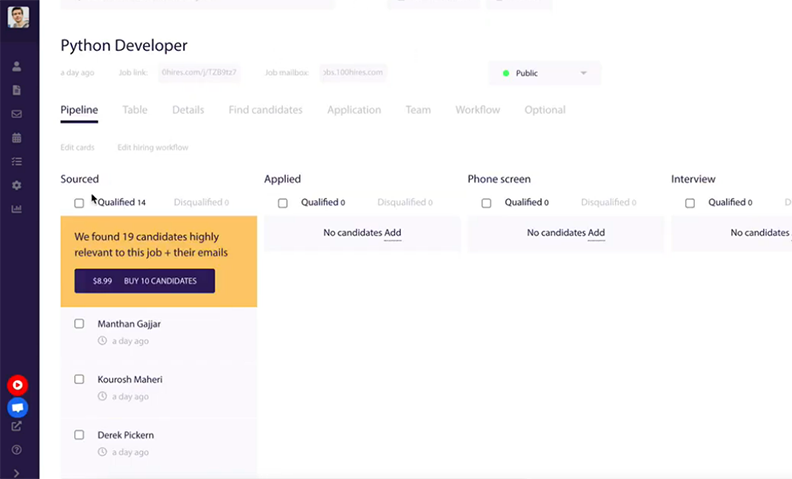
Best For: Small recruiting teams that want a clean, modern ATS with a simple learning curve
100Hires is built with usability at the forefront. It does not overwhelm you with features you will never touch. If you are managing a modest volume of roles and want a system that your whole team can pick up quickly, it is worth a look.
Free Plan Details
- No permanent free plan, but a 14-day free trial. Paid plans start at $49/month flat (Starter) with unlimited users in higher tiers.
Key Features
- Drag-and-drop candidate pipeline
- Resume parsing and candidate profiles
- Chrome extension for sourcing from LinkedIn and other platforms
- Job posting to multiple boards in one click
- Email templates and basic candidate communication
- Interview scheduling with calendar sync
The Catch
- Reporting features feel generic and lack deep customization options
- Integration options are limited compared to more established ATS platforms
- Reviewing resumes does not trigger automation, so sending feedback to candidates manually can be time-consuming
4. Recruiterflow
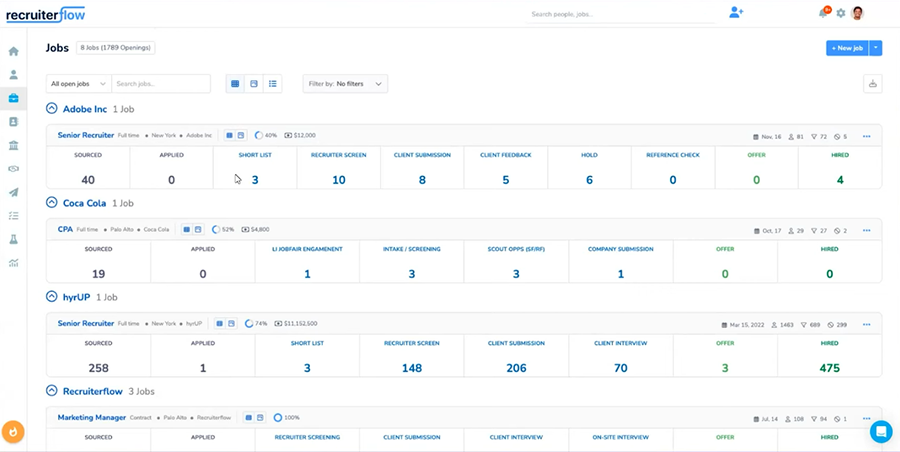
Best For: Independent recruiters and small staffing agencies that do contingency or retained search
Recruiterflow is purpose-built for external recruiting teams — not internal HR. It handles both the ATS side and the CRM side, which makes it a strong fit if you are managing candidates across multiple client roles at the same time.
Free Plan Details
- Recruiterflow does not offer a permanently free plan, but it provides a 14-day free trial with full access to core features and no credit card required.
Key Features
- ATS and recruiting CRM combined in one platform
- Two-way email and calendar sync
- Chrome extension for one-click candidate sourcing
- Automated email sequences and outreach campaigns
- Job posting to multiple boards
- Branded career page
The Catch
- Automatic profile enrichment and most advanced automation features are only available on higher-tier plans
- Starts at $119/user/month, which is one of the higher starting prices on this list
- No native mobile app; only a progressive web app is available
5. ApplicantStack
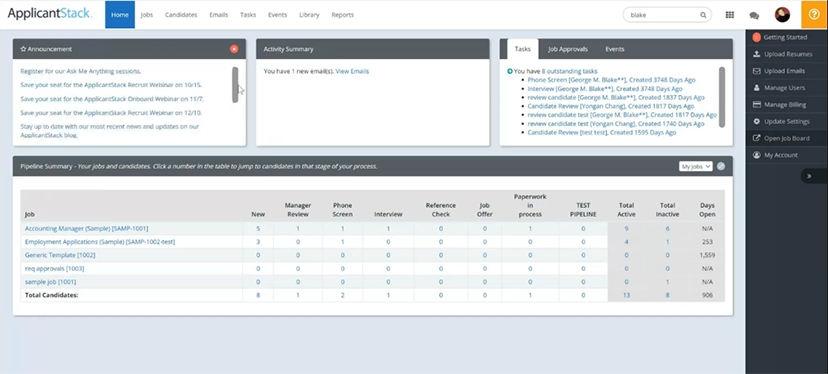
Best For: Small businesses and growing teams that want a simple, no-frills ATS at an affordable entry price
ApplicantStack is one of the most straightforward tools on this list. It is built for teams that want to post jobs, collect applications, and move candidates through a pipeline — without spending time configuring complicated settings.
Free Plan Details
- ApplicantStack offers a 14-day free trial with no credit card required, covering its full feature set. The entry-level Starter paid plan begins at $29/month and allows one active job posting at a time.
Key Features
- Customizable hiring pipelines and stages
- Job posting to major boards including Indeed, LinkedIn, and Glassdoor
- Pre-screening questionnaires with knock-out questions
- Automated stage-change email notifications
- Career page for direct applications
- Candidate scoring and basic reporting
The Catch
There is no permanently free plan — only a trial period.
- The Starter plan at $29/month limits you to a single active job posting
- Advanced features require higher-tier plans which can reach up to $150/month
- No built-in CRM features for managing client relationships
6. Loxo
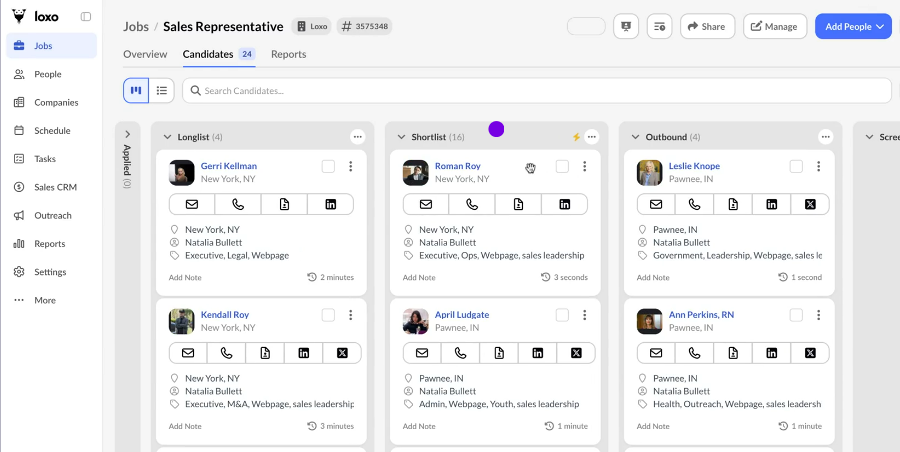
Best For: Solo recruiters who want a free ATS/CRM combo to get started without committing to a paid plan
Loxo is positioned as a full talent intelligence platform, but its free tier gives solo recruiters access to a surprisingly functional ATS and CRM combination at no cost. It is one of the few tools that offers a genuine free-forever plan rather than a time-limited trial.
Free Plan Details
- Loxo offers a free plan that is available forever, with access to the core ATS and CRM features at no cost, and no credit card required to start. The free plan is limited to one user.
Key Features
- ATS pipeline and candidate tracking
- Recruiting CRM for managing clients and contacts
- Job posting and branded career page
- Chrome extension for candidate sourcing
- Email integration for candidate communication
- Basic reporting and analytics
The Catch
The free plan is genuinely functional for a solo recruiter, but it is a limited preview of what Loxo can actually do.
- Most teams need to upgrade to access automation, AI sourcing, outreach tools, and multi-user workflows
- The Basic paid plan starts at $169/user/month, and multiple reviewers report automatic 5% annual price increases baked into contracts
- Sourcing data quality has received mixed reviews from users
7. Breezy HR
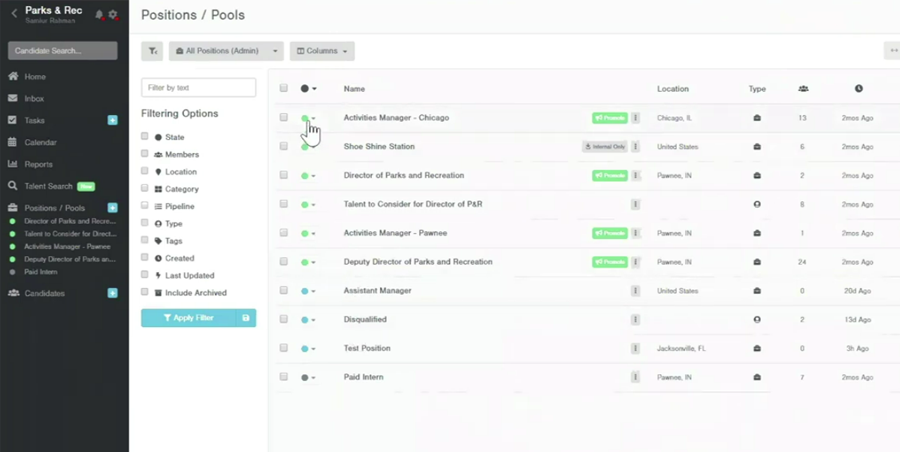
Best For: Small teams that want an easy-to-use, visually clean ATS with strong job board reach
Breezy HR is consistently praised for how simple it is to get started. The drag-and-drop interface makes it easy to visualize your pipeline, and the ability to post to 50+ job boards in one click is a genuine time-saver for recruiters managing multiple roles.
Free Plan Details
- The Bootstrap plan is free and includes one active position or candidate pool at a time. You can create as many as you like, but you must close one before activating another. Unlimited users and candidates are included even on the free plan.
Key Features
- Drag-and-drop candidate pipeline with customizable stages
- Job posting to 50+ boards including Indeed and LinkedIn
- Candidate sourcing via Chrome extension from LinkedIn
- Email integration and automated candidate communication templates
- Interview scheduling with calendar sync
- Basic career page included on all plans
The Catch
The free plan gives you a feel for the platform, but it is not built for real day-to-day recruiting volume.
- The Bootstrap free plan has no email integration, no scheduling tools, and no analytics
- SMS texting, employee onboarding, and AI candidate scoring are all sold as paid add-ons on top of the monthly plan cost
- Paid plans jump to $157/month for the Startup tier, which is a big leap from free
Side-by-Side Comparison: All 7 ATS Tools at a Glance
| Tool | Free Plan Details | Best Feature | Biggest Constraint | Best For |
|---|---|---|---|---|
| Recruit CRM | Unlimited free trial, usage limits apply | Built-in ATS + CRM in one platform | Can feel feature-heavy for absolute beginners | Small recruitment agencies |
| Zoho Recruit | Forever free, 1 active job | Deep Zoho ecosystem integration | Interface feels outdated compared to modern platforms | Solo recruiters using Zoho tools |
| 100Hires | 14-day trial | Flat-rate pricing + AI screening | Limited integrations and no outreach automation | Small teams new to ATS |
| Recruiterflow | 14-day free trial | CRM + outreach automation for agency recruiters | No native mobile app; only a web-based version available | Contingency and retained search recruiters |
| ApplicantStack | 15-day free trial | Pre-screening questionnaires with knock-out questions | No built-in CRM for managing client relationships | Teams handling hiring + onboarding |
| Loxo | Free forever, 1 user | Free ATS + CRM combo for solo recruiters | Sourcing data quality is inconsistent per user reviews | Solo recruiters building talent pools |
| Breezy HR | Free forever, 1 active job | One-click posting to 50+ job boards | No outbound sourcing or candidate database built in | Occasional hiring with nice branding |
Conclusion: How to Choose?
You are a solo recruiter or freelancer: Start with Loxo’s free plan. You get both an ATS and a CRM at no cost, which means you can manage candidates and client relationships without paying for two separate tools. Recruit CRM’s unlimited free trial is also worth exploring if agency-style workflows matter to you.
You are an in-house HR team at a small company: Go with Breezy HR or ApplicantStack. They offer clean pipelines, team collaboration, and simple onboarding features that match internal hiring needs.
Resume parsing and efficient candidate search is your top priority: Try Recruiterflow (during trial) or Loxo. The free tiers across most tools strip out parsing entirely, so if this feature is central to your daily workflow, budget for at least an entry-level paid plan from day one.
A free or low-cost ATS is a smart starting point — it already beats spreadsheets and scattered emails. Test two or three options, and the right one will quickly reveal itself by saving you time and helping you fill roles faster.